
Manual feedback triage is not “process.” It is a human rate limiter with a memory leak. One Slack rant becomes three half-baked tickets, two duplicates, and one angry customer follow-up. Meanwhile Linear stays clean only because someone is burning hours doing copy, paste, and guesswork.
Automating feedback routing in Linear means you stop treating every comment like a snowflake. You classify intent, extract entities, and apply rules that create the right issue, in the right team, with the right priority. Chapter 1 covers content analysis that detects intent and keywords, then maps them to routing decisions. Chapter 2 moves those decisions into Linear via labels, workflows, and API-based assignments. Chapter 3 connects the rest of the stack, because feedback lives in Intercom, Slack, email, and CRMs. Chapter 4 gives implementation steps that keep data integrity intact and prevent your automation from becoming another bloated enterprise graveyard.
Smart Content Analysis for Linear: Route Feedback Without Reading Every Message End-to-End
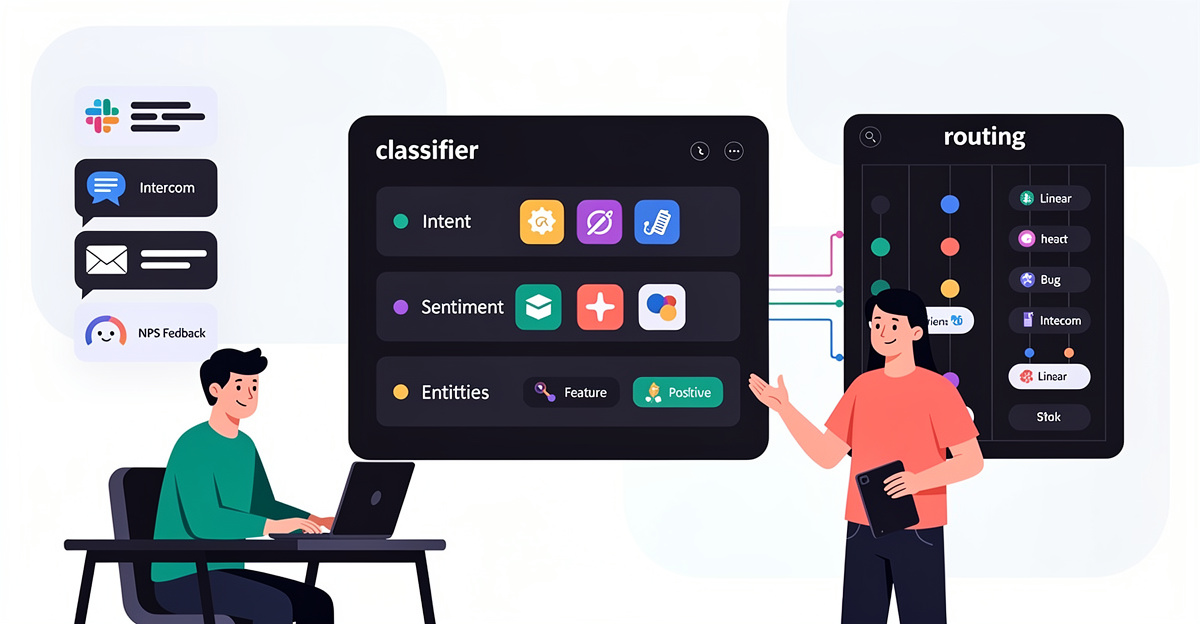
You can’t automate feedback routing in Linear if someone must read every message first. That “quick skim” becomes the job, and Linear becomes the dumping ground.
Content analysis fixes this by turning raw feedback into routing signals before any human touches it. The system extracts features from each message: semantic meaning, intent, length, and basic metadata. Then it applies decision logic to pick the right destination in Linear: which team, project, label, or owner should get the issue. Start simple with rule-based routing when you have deterministic signals (channel, keywords, form fields). Add AI semantic analysis when the language is messy and the same problem is described ten ways. Keep the goal narrow: classify and route, not “fully understand” every message.
The operational win is that you stop doing full processing on every input. Short, obvious items can be routed cheaply and quickly. Longer “novel” messages can be escalated, enriched, or held for review. This mirrors how routing systems in other domains separate simple paths from complex ones to protect cost and throughput. You still need accuracy thresholds. Bad routing creates thrash inside Linear, which is worse than manual triage.
Optimization matters once volume grows. Use telemetry and feedback loops so routing adapts to shifts in product areas, outages, or spikes in inbound. Watch basic metrics tied to routing quality: reroutes, reopen rates, and time-to-first-response. When classifications are rare, expect imbalance problems and calibrate rather than guessing.
How Feedvote solves this Feedvote captures feedback in a structured way, so routing signals exist before the message hits Linear. It reduces duplicates, which cuts classification noise and prevents multiple Linear issues for the same request. It then syncs clean, categorized items into Linear so teams work from one queue. If you need the mechanics of getting requests into Linear reliably, use Feedvote’s guide on syncing customer requests to Linear.
Linear-Native Integrations for Automated Feedback Routing (No More Spreadsheet Triage)

Manual triage fails when your routing logic lives in a spreadsheet. The moment Linear changes, your “source of truth” becomes a stale list of sad cells.
Linear-specific integrations fix this by using Linear’s actual model—teams, labels, IDs, and webhooks—so routing happens where work ships. Most tools start the same way: generate a Personal API key in Linear (Settings → API → Personal API keys), connect it inside the tool, then map teams, labels, or webhook payloads to a real Linear destination. That setup means new work lands as a Linear issue with the right team context, instead of being copy-pasted into a tracker.
The useful pattern is “route by intent, execute by workflow.” Devin AI shows this with playbooks synced to Linear labels like !add-docs, so a label can trigger doc work or refactors without somebody policing a queue. Trunk Flaky Tests uses webhooks plus team/project/label IDs to create issues for flaky tests and can auto-assign via CODEOWNERS. AgenticAnts maps AI agents to Linear teams and creates issues on compliance violations, with notifications alongside Slack/Jira. Optio takes the opposite direction: it periodically pulls Linear issues into tasks, then marks originals “Done” and syncs fields back bidirectionally.
Linear’s team structure also supports nested hierarchies up to five levels. That matters for routing because ownership can match your org, not an ad-hoc tag list.
How Feedvote solves this Feedvote routes customer feedback into Linear using Linear-native objects, not a side spreadsheet. You keep routing rules tied to teams and issue fields that already drive execution. That avoids “two systems” drift and preserves real-time visibility in Linear. If you need the full loop, use Feedvote’s guide on syncing customer requests to Linear so routing and tracking stay in one workflow.
Multi-Tool Intake: Route Feedback Into Linear Once, Not Ten Times
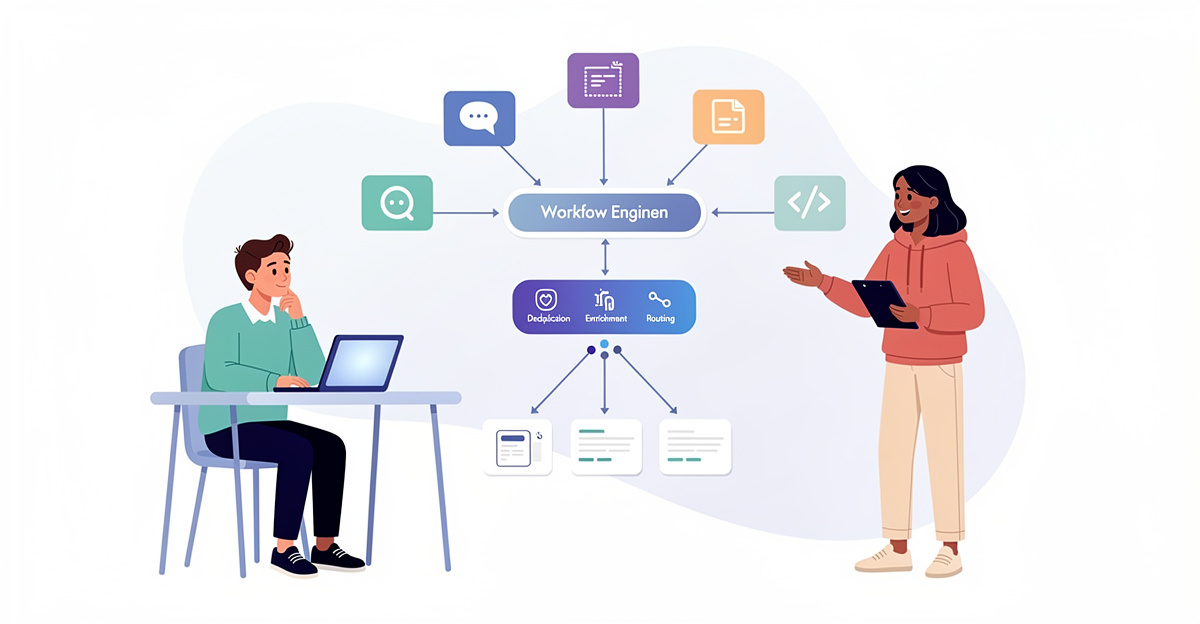
Feedback doesn’t show up in one place. It shows up everywhere, then your team re-reads it everywhere.
To automate feedback routing in Linear without manual triage, you need a route-once workflow. Centralize intake from messy, high-volume sources like tickets, surveys, calls, reviews, and social. Then run analysis once—theme tags, sentiment, and basic impact scoring—and emit a clean payload to the right destination. The goal is simple: stop duplicating human attention. If a request is a bug, it becomes a Linear issue. If it’s a feature request, it lands where product planning happens. If it’s noise, it gets sampled for quality control instead of flooding the backlog.
Two routing patterns matter in practice. Handoff-based routing works when your process is explicit. One step extracts the signal, the next decides the destination, the last creates or updates the Linear artifact. It’s testable because each handoff has a bounded contract: {destination, payload}. Dynamic or score-based routing fits volume. Score by factors you already care about—volume, churn risk, or revenue impact—and auto-route only the top slice. Add sampling modes like random or failure-first to keep humans in the loop without reading everything.
The tooling is usually a mix. Many teams centralize in systems like Airtable or Domo before routing. Node-based builders add routers, gates, and supervised run modes. Trace review tools support span-level feedback so you can see which tag or score was wrong.
How Feedvote solves this Feedvote gives you a single intake surface, then pushes structured outcomes into Linear. You route feedback once, instead of re-triaging it per channel. Feedvote reduces duplicates before they hit your backlog, so routing doesn’t amplify noise. If you’re comparing omnichannel tools, the tradeoff is control vs. workflow: generic stacks can collect everything, but Feedvote is built to land the right artifacts in Linear with less glue code. See: best omnichannel customer feedback tools.
Implementation Steps for Automated Feedback Routing in Linear That Won’t Wake You Up
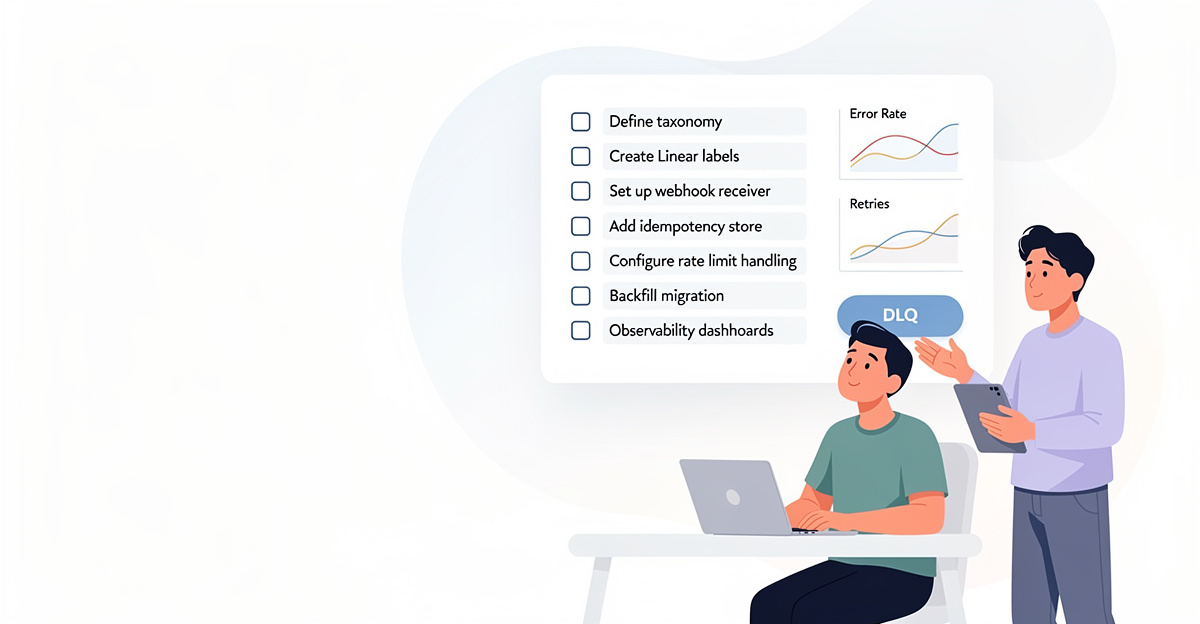
Your routing pipeline is “automated” until every integration also becomes a pager. Then you spend nights muting alerts instead of fixing the routing rules.
Automate feedback routing in Linear without manual triage, but treat notifications as part of the implementation. Start with device-level controls, because they fail less often than app-by-app tweaks. On iOS, use Scheduled Summary (Settings → Notifications → Scheduled Summary) to batch non-urgent alerts into a morning digest. Turn off Priority Notifications globally or per app so “FYI” items don’t break Focus time. Backstop it with Focus / Do Not Disturb schedules (Settings → Focus) so your 10 PM–7 AM window stays quiet.
Next, shut down the browser channel, because web push is where random sites and old tools keep leaking alerts. In Safari, remove notification permissions (Safari → Settings → Websites → Notifications) and disable new permission prompts. In Chrome, go to Site Settings → Notifications and block sites that should never ping you. This matters when feedback sources span portals, email, and chat; one stale permission can reintroduce manual triage via panic.
Finally, tune each service that touches Linear. Prefer daily summaries over real-time events where possible. Disable broad event types and keep “assigned to me” style signals only. Test off-hours by temporarily changing device time, and audit notification history weekly. If your feedback flow is calm, your routing rules can evolve without waking you.
How Feedvote solves this Feedvote reduces alert spam by keeping feedback collection and routing in one place, instead of scattered tools. That lets you push only the Linear events that matter, then rely on scheduled digests for everything else. You avoid dozens of per-source notification settings that drift over time. For the setup details, see Feedvote’s guide on syncing customer requests to Linear.
Final thoughts
Manual triage fails the same way every time. Volume grows, context fragments, and the “system” becomes a rotating cast of humans making inconsistent calls. Automating feedback routing in Linear fixes this by turning unstructured text into structured intent, then enforcing routing rules that do not get tired.
Content analysis gives you tags you can trust when confidence is high, and a review queue when it is not. Linear-specific mapping keeps the output native: teams, labels, priorities, and workflows. Multi-tool ingestion prevents duplicate tickets and missing context, because your users do not care which inbox they used. Implementation discipline keeps the automation boring. Boring means idempotency, retries, rate limits, and audit trails.
If your feedback process requires a weekly meeting to “stay on top of it,” it is already broken. Route feedback automatically, keep Linear clean, and spend the saved time shipping fixes and features.
Automate your feedback workflow—connect Feedvote to Linear and eliminate manual triage in minutes.
Learn more: https://feedvote.app
About us
Feedvote is a customer feedback + public roadmap platform. It replaces Canny and Productboard for teams who want less bloat, lower cost, and faster workflows. Those tools tend to become bloated enterprise graveyards as they scale, with endless fields and stale boards. Feedvote keeps feedback as the source of truth, then pushes the right work into Linear. You capture feedback, dedupe it, track demand, and publish a roadmap customers can follow. Then you integrate deeply with Linear to create issues, link them back to the original feedback, and keep status updates synced so customers see progress without your team doing manual status theater.