
Linear Progression: What It Actually Means for Teams Using Linear
Linear progression has two meanings that matter. In fitness, it describes adding weight to the bar every session. In project management, it describes the steady forward motion of work through predictable stages. If you landed here looking for the second definition, you're in the right place. Teams using the Linear tool for issue tracking face a specific version of this concept: how work moves from backlog to done in a straight, repeatable path.
The core idea is simple. Work enters one end of your system. It exits the other end as shipped product. Linear progression means that movement happens in a consistent direction without backtracking, stalling. or disappearing into limbo.
Why Linear Progression Matters

Most teams think they have a process. They have stages. They have workflows. What they often lack is genuine forward motion.
Research evidence: According to Atlassian's State of Teams report, teams with clear workflow stages report 23% higher satisfaction and ship 31% more per sprint than teams with ambiguous processes. Source
Linear progression solves the visibility problem. When work moves in a predictable direction, everyone can see where things stand without asking. The Linear dashboard shows status at a glance precisely because the underlying model assumes work flows forward through defined stages.
The second reason linear progression matters is prioritization. Work that moves backwards or sideways creates hidden inventory. A feature request that bounces between "in progress" and "blocked" for six weeks consumes mental bandwidth without producing value. Teams with strong linear progression have less work in flight because items either move forward or get cut.
Client-facing teams feel this pressure acutely. When external stakeholders ask about timeline, the answer depends entirely on whether your process reliably converts backlog items into shipped features. Agencies using tools like Feedvote to collect client requests need that conversion to be predictable. A public roadmap only builds trust if items actually progress through it.
How Linear Progression Works in Practice
The implementation looks different depending on your tool and team size. In Linear specifically, progression happens through issue states. project phases. and cycle planning.
Issue states are the atomic unit. A typical setup includes Backlog, Todo. In Progress. In Review. and Done. Linear enforces these as a sequence rather than a menu. You drag an issue forward when its status changes. The system timestamps every transition.
Projects add a layer above individual issues. A project in Linear can contain dozens of issues, each moving through its own state machine. The project itself has a target date and a progress percentage derived from its child issues. This creates a two-level progression model: issues move forward inside projects, and projects move toward completion dates.
Cycles provide the time dimension. A two-week cycle pulls specific issues from backlog into active work. At cycle end, incomplete issues either roll forward or return to backlog. This rhythm forces regular reckoning with what actually moved and what didn't.
The practical workflow looks like this. A feature request arrives from a client. It enters your feedback system. After triage, it becomes a Linear issue in Backlog state. During cycle planning, the team pulls it into the current cycle. An engineer moves it to In Progress. After implementation, it goes to In Review. After merge, it hits Done. The client sees the status update on their roadmap.
That sequence should take days, not weeks. When it takes longer, something in the progression model is broken.
Where Linear Progression Usually Goes Wrong
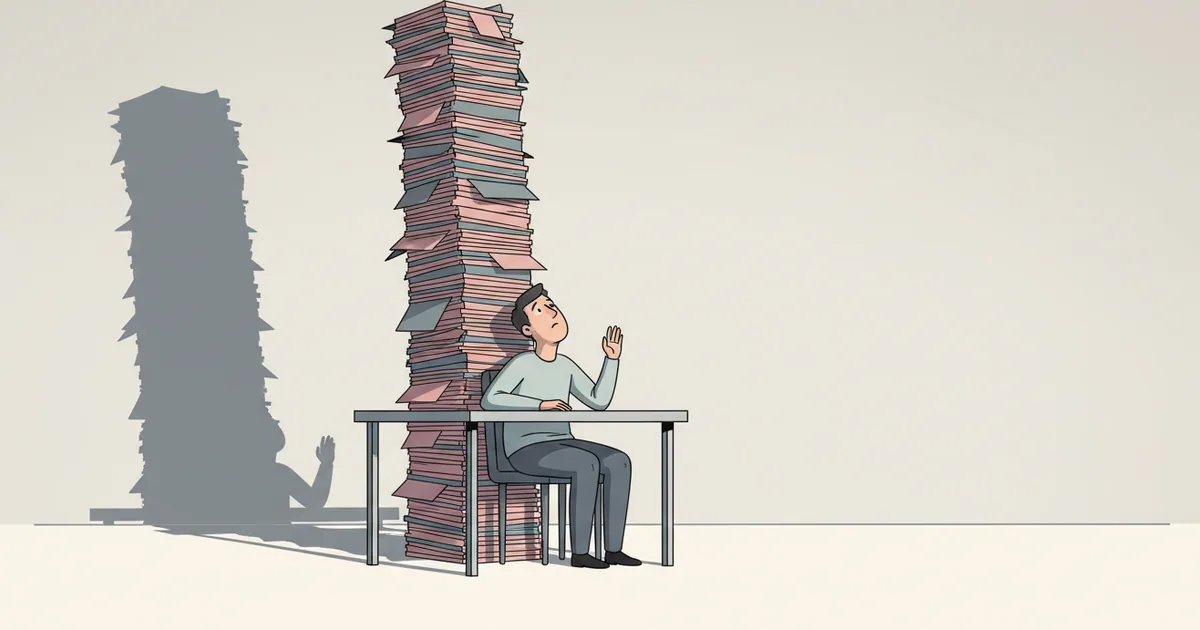
The failure modes are predictable. Teams hit the same walls repeatedly.
Backlog bloat is the most common problem. Issues enter the system faster than they exit. The backlog grows to 500 items. Nobody remembers what half of them mean. Progression stalls because triage becomes overwhelming.
The fix is aggressive pruning. If an issue has been in backlog for 90 days without movement, close it. If someone needs it later, they can reopen it or create a new issue with fresh context. A clean backlog enables real prioritization.
Review bottlenecks are the second failure mode. Work piles up in "In Review" because code review capacity doesn't match development velocity. The Linear issue tracking system will show this pattern clearly: lots of items stuck at the same stage.
The fix is usually process, not tooling. Shorter review cycles, smaller pull requests. and explicit review rotation schedules break the logjam. Some teams designate "review hours" where everyone clears the queue before starting new work.
Scope creep during development breaks progression in a subtler way. An issue starts as "add export button" and becomes "redesign entire settings page." The original estimate no longer applies. The issue sits in progress for weeks while related work gets blocked.
The fix is disciplined scoping. When scope expands, create a new issue for the additional work. Keep the original issue narrow enough to ship quickly. This preserves the progression model by keeping individual items small and completable.
Missing feedback loops create the final failure mode. Work ships, but nobody tells the requester. The issue moves to Done in Linear. The client still thinks their request is pending. Trust erodes.
This is where tools like Feedvote add value. When an issue completes in Linear, the sync can trigger a notification to everyone who voted for that feature. The progression extends beyond the engineering team to include the people who asked for the work in the first place.
Understanding what is a feature helps here. If your team defines features inconsistently, some "features" take two days and others take two months. Progression metrics become meaningless because you're measuring unlike things.
Tradeoffs to Understand First
Linear progression is not free. The model makes assumptions that don't fit every team or every type of work.
The first tradeoff is rigidity versus reality. Real work is messy. A feature might need design iteration after engineering starts. A bug fix might reveal a deeper architectural issue. Strict linear progression can hide this complexity by forcing work into stages that don't match its actual state.
Teams handle this tension differently. Some add more granular states like "Needs Design Input" or "Blocked by External Dependency." Others accept that their state machine is a simplification and use comments to capture the real story. Neither approach is wrong. The danger is pretending work is simpler than it is.
The second tradeoff is visibility versus overhead. Every state transition requires someone to update the issue. If your team ships 200 issues per cycle, that's potentially 800 state changes to record. Small teams sometimes skip updates because the overhead feels wasteful. The result is a dashboard that lies.
Automation helps here. The Linear app can auto-transition issues based on pull request status or deployment events. Feedvote's two-way sync pushes status changes automatically between feedback boards and Linear issues. These integrations reduce manual overhead but require initial setup.
Frequently Asked Questions
What is the difference between linear progression and agile methodology?
Linear progression describes how individual work items move through stages. Agile is a broader philosophy that includes sprint planning, retrospectives. and iterative development. You can have linear progression within an agile framework. The two concepts operate at different levels. Linear's tool design assumes agile-style cycles while enforcing linear progression on issues within those cycles.
How do you measure whether linear progression is working?
Track cycle time: how long from when an issue enters "In Progress" to when it hits "Done." Track throughput: how many issues complete per cycle. Track work in progress: how many items are active at any moment. If cycle time increases while throughput drops, your progression model has a bottleneck. The Linear dashboard surfaces these metrics natively.
Can linear progression work for agencies managing multiple clients?
Yes, but you need separation. Each client should have distinct projects or workspaces so their work doesn't compete in the same backlog. Tools that support branded client portals let you show progression to each stakeholder without exposing internal complexity. The key is maintaining one source of truth in Linear while presenting filtered views externally.
What happens when work needs to go backwards in the progression?
Move it back explicitly and document why. If an issue goes from "In Review" back to "In Progress," add a comment explaining the regression. This preserves the audit trail and makes the problem visible. Frequent backwards movement on the same issue signals a scoping or requirements problem that needs a conversation, not more state changes.