

Linear Tracking: What It Actually Does and When Your Setup Breaks
Linear tracking means following a single work item from creation to completion inside Linear, the issue management tool built for product teams. You create an issue, assign it. move it through workflow states. and close it when shipped. That's the core loop. The term also appears in sports analytics and video editing, but this article covers the SaaS meaning for teams running delivery in Linear.
The appeal is visibility. When tracking works, you see exactly where every bug. feature. and task sits. When it breaks, you get stale issues. lost context. and standups where nobody trusts the board.
Why Linear Tracking Matters
Teams adopt Linear because it promises speed without ceremony. The linear tool rewards small, fast actions. Create an issue in two seconds. Drag it to In Progress. Close it from a keyboard shortcut. That friction reduction only pays off when the data stays accurate.
Accurate tracking gives you three things. First, real cycle time metrics. Linear timestamps every state transition automatically. If your average issue moves from Todo to Done in 3.2 days, you know your actual pace. That number feeds sprint planning, hiring decisions. and client commitments.
Second, async alignment. Remote teams live in different timezones. When someone in Berlin finishes a task at 6pm local time, the PM in New York sees the update without scheduling a call. The board becomes the source of truth instead of Slack threads.
Third, accountability without micromanagement. Managers check the board instead of pinging engineers. Engineers prove throughput instead of explaining why they were quiet in Slack.
The linear dashboard surfaces active cycles, team workload. and progress charts without custom configuration. You open it and see the state of work. Jira requires dashboards, filters. and plugins to get similar clarity.
Evidence block Linear's official documentation describes automatic cycle analytics that track issue completion rates, scope changes, and velocity across sprints without manual configuration. Source: Linear Docs: Cycles
Six months of clean tracking gives you baseline data for estimating future projects. You know which issue types drag and which move fast. That intelligence is worth more than any single feature request.
How Linear Tracking Works in Practice
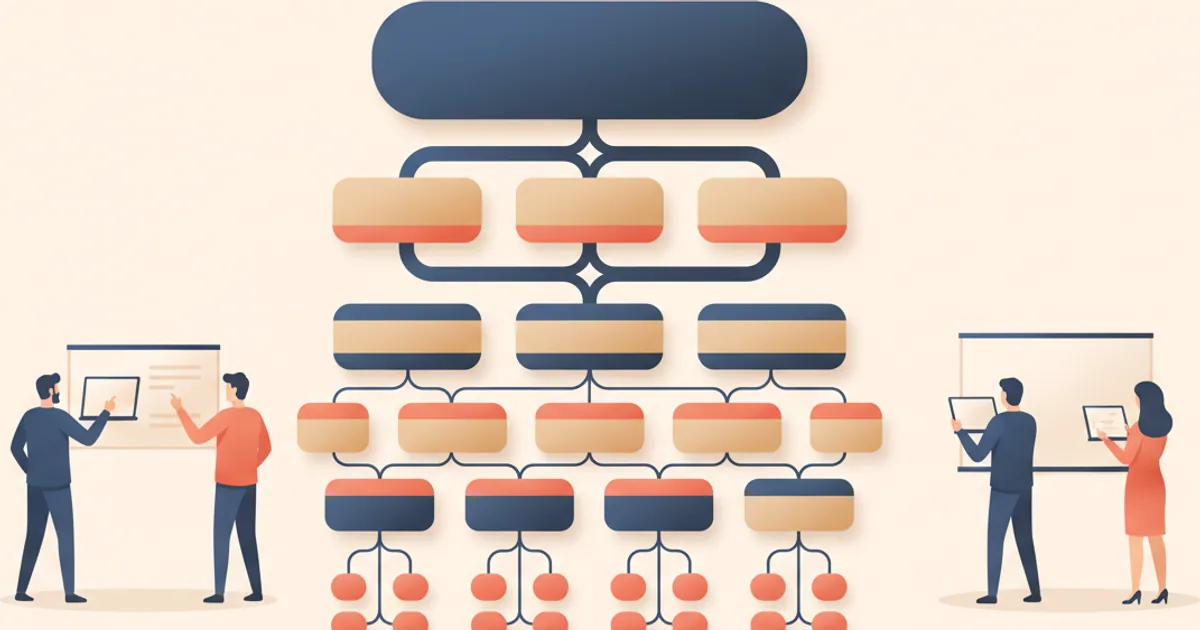
Linear structures work around a hierarchy. Workspaces contain teams. Teams contain projects. Projects contain issues. Issues contain sub-issues. Every level can have its own workflow states, labels. and priority settings.
A typical workflow looks like this. A PM creates an issue in the backlog with an estimate, a priority. and maybe a project assignment. When a cycle starts, the issue moves to the active cycle. An engineer picks it up, marks it In Progress. and starts work. When the code ships, the engineer moves the issue to Done or Merged. QA reviews it, and it moves to Completed.
The magic happens in the transitions. Every time an issue changes state, Linear logs the timestamp. That data feeds the cycle analytics, burndown charts. and velocity reports. You never enter numbers manually. The act of working creates the data.
Linear also tracks metadata beyond status. You see who created the issue, who's assigned. what labels apply. which cycle it belongs to. and what comments exist. The linear issue tracking system captures everything you need for audits, retrospectives. and client updates.
Integration points extend tracking outside Linear. GitHub and GitLab connections auto-close issues when PRs merge. Slack alerts notify channels when high-priority items move. Webhooks push events to external systems.
The real skill is deciding what to track. Some teams create an issue for every bug report and feature idea. Others keep Linear tight and track only committed work. Neither approach is wrong. The wrong move is switching approaches mid-quarter without telling anyone.
Where Linear Tracking Usually Goes Wrong

The most common failure is stale issues. Someone creates an issue six months ago. The work finished, but nobody closed the ticket. Now the backlog shows 200 open items when only 30 are real. Every planning session starts with archaeology instead of prioritization.
The fix is simple but annoying. Set a recurring reminder to audit open issues. Close anything untouched for 60 days unless someone objects. Linear's filters make this easy. Run the query, review the list. bulk-close the dead weight.
The second failure is scope creep in tracking itself. Teams add custom fields, nested labels. and elaborate state machines. The workflow grows until nobody remembers what "In Review" means versus "Ready for QA" versus "Pending Approval." Simplify ruthlessly. Four states cover most workflows: Backlog, Todo. In Progress. Done.
The third failure is treating tracking as status reporting instead of coordination. When managers check the board to catch slackers, engineers game the system. They move issues to In Progress before starting. They delay closing until the standup. The data becomes theater instead of signal.
The fourth failure is ignoring external stakeholders. Your team tracks perfectly inside Linear. But clients, customers. and partners can't see the board. They email asking for updates. You copy-paste status from Linear into Slack into email into a call. The overhead erases the efficiency you gained.
This is where a client-facing layer helps. Tools like Feedvote let you publish selected Linear work to external roadmaps and notify stakeholders when items ship. The internal tracking stays clean. The external communication stays automated.
Teams running client work for multiple accounts need this separation. A canvas client portal approach gives each client their own view without exposing your internal workspace. You track once in Linear. The portal handles visibility and feedback collection.
Understanding what is a feature helps here. Features span multiple issues. Tracking at the issue level gives precision but hides the bigger picture. Most teams need both views and must decide which one drives their weekly cadence.
Tradeoffs to Understand First
Linear tracking has costs. The system only works when people use it. One engineer who forgets to update issues corrupts your cycle time data. One PM who creates issues without descriptions leaves engineers guessing.
The first tradeoff is overhead versus accuracy. Every state update takes a few seconds. Multiply by hundreds of issues and you get hours of cumulative effort. Some teams decide that cost is worth the visibility. Others accept rougher data in exchange for faster coding time.
The second tradeoff is granularity versus noise. You can track sub-issues inside sub-issues. You can label everything with team, type. area. and urgency. But more metadata means more fields to fill and more chances for inconsistency. Start with the minimum viable structure. Add complexity only when you feel specific pain.
The third tradeoff is openness versus focus. Linear can show every issue to every team member. That transparency builds trust but creates distraction. Some teams restrict views by project or team. Others accept the noise as the price of visibility.
Frequently Asked Questions
What is the difference between Linear tracking and Jira tracking?
Linear tracks issues through a simpler, faster interface with automatic cycle analytics. Jira offers more customization but requires manual dashboard configuration and plugin management. Linear suits teams wanting speed out of the box. Jira suits enterprises needing deep workflow customization. The linear progression philosophy favors fewer features executed well over maximum flexibility.
How do I fix inaccurate cycle time data in Linear?
Audit your workflow states first. Remove any states that overlap or confuse engineers. Then run a query for issues stuck in the same state for over 30 days. Close or reassign them. Finally, agree on a team norm for state updates. Daily updates during active work prevent drift.
Can external stakeholders see Linear tracking data?
Not directly. Linear workspaces are internal. You can share read-only views with guests, but most teams want a cleaner separation. Publishing selected issues to a public roadmap or client portal keeps tracking data internal while giving stakeholders the visibility they need.
What workflow states should I start with in Linear?
Start with four: Backlog, Todo. In Progress. Done. Add a fifth state for review or QA only if your team has a formal handoff step. Avoid creating states for every possible scenario. You can always add complexity later. Removing it is harder.